


AGI Metal USB Flash Drives
Durable and easy to store
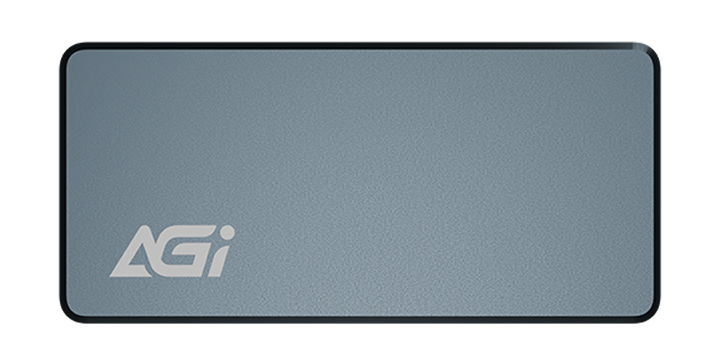
UE138B USB Flash Drive
KEY FEATURES
- Swivel Metal Casing: Lightweight and durable.
- Diverse Storage Options: Available from 16GB to 512GB.
- Versatile Compatibility: Supports PCs, Smart TVs, and more.

SLC cache
SLC cache
SLC cache
Unwavering Quality
- The UE138B is crafted with high-quality materials to safeguard your data security.
Swivel Aesthetics, Compact and Durable
- The UE138B is crafted with high-quality materials to safeguard your data security.
Upgrade Your Capacity with Ease
- The all-metal swivel design eliminates the worry of losing caps while effectively protecting the connector. Lightweight and wear-resistant, it exudes a professional and sleek look for both business and everyday storage.
Specifications
Capacity
32GB / 64GB / 128GB / 256GB / 512GB
System requirements
Windows 7, 8, 10, Mac OS X 10.10 and Linux Fedora version 15 or later
Interface
USB 3.2 Gen1
Texture
Zinc Alloy
Performance(MAX)
115MB/s
Dimensions (L x W x H)
57.2 x 17.1 x 9.8 mm
Weight
20g

Product FAQ
01
An error occurred during OS installation.
Please delete all partitions and disconnect all other drives, leaving only the target SSD connected. Enter BIOS, restore default settings, enable AHCI and UEFI modes, save the configuration, and reinstall the OS.
02
Why is my newly purchased SSD not detected?
A1-1: Please check whether the data cable, power cable, and slot are properly connected.
A1-2: Right-click the Start menu > go to “Disk Management” > locate the SSD > right-click > select “New Simple Volume” to initialize the drive.
03
After cloning Windows 10 to a new SSD with no error messages, why can’t the computer boot successfully?
This is due to a Windows licensing restriction. If your Windows 10 was obtained through an upgrade, the license is tied to the original hardware. Installing the SSD on another machine may trigger a blue screen or fail to activate. A clean installation of an authenticated Windows 10 will not encounter this issue.
04
Can I use a SATA 6 Gb/s SSD with a motherboard that supports only SATA 1.5 or 3 Gb/s?
Yes, but the data transfer speed will be limited by the motherboard and will not reach SATA 6 Gb/s performance.
Explore Related Knowledge